About this app
The Impersonate application allows administrators, and group admins, to log in as another user within an owncloud.online instance. It provides a helpdesk-like experience and can be useful to help users with configuration issues, to get a better understanding of what they see when they use their owncloud.online account, or to perform actions in legacy accounts.
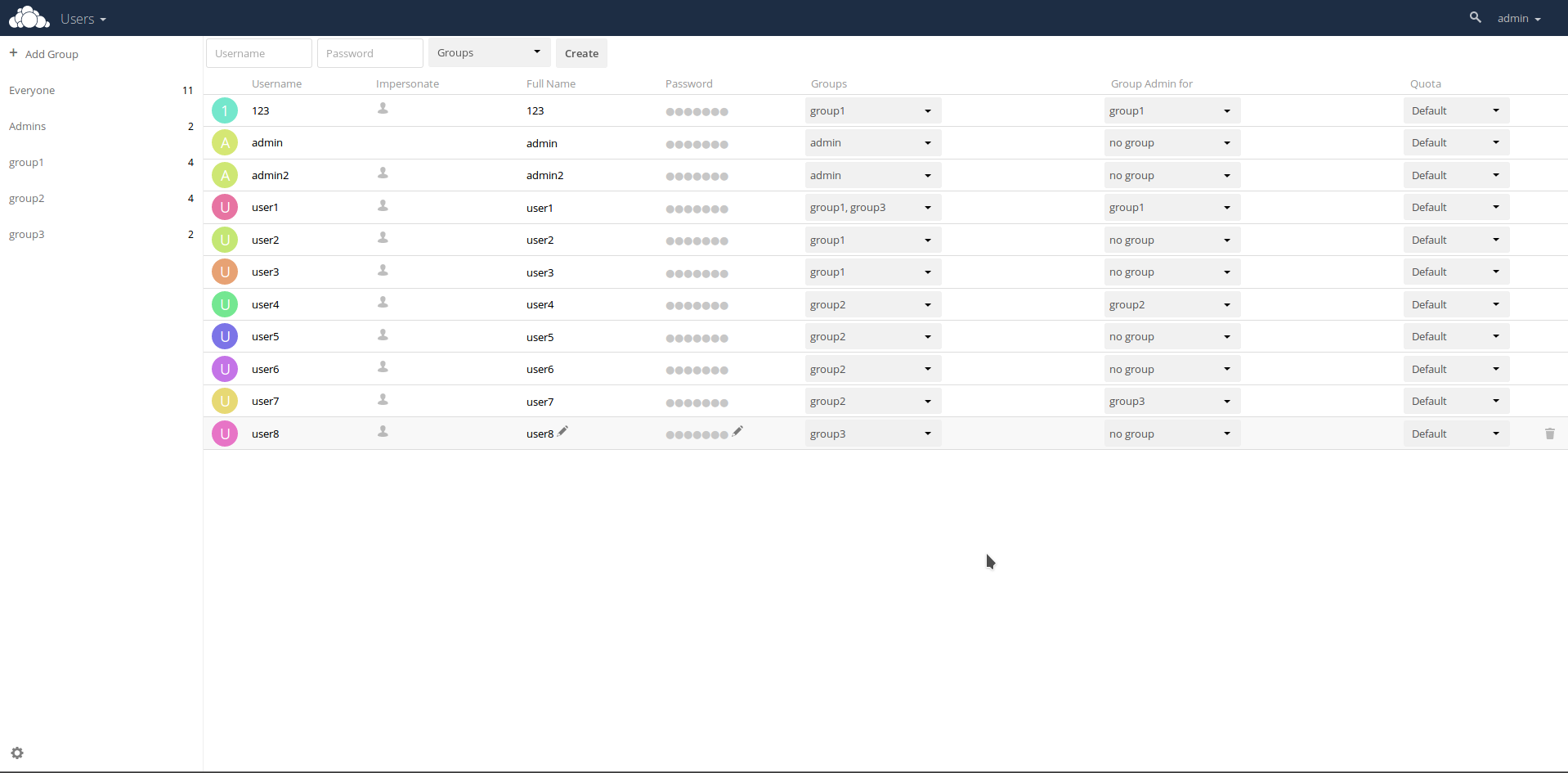
Once Impersonate is installed, a new column will be available in the user management panel. Click on the icon next to the user that you want to impersonate and you will be logged in as that user. Your current session will be temporarily suspended, and you will see a notification at the top of the page reminding you that you’re impersonating another user. Once you’re finished, log out, and you will return to your previous user session.
As a security measure, the application lets owncloud.online administrators restrict the ability to impersonate users in specific groups. When enabled and configured, only a group’s administrator can impersonate members of their group. Administrators can find configuration options in the "User Authentication" section of the "Admin settings" panel.
Modified by BW-Tech GmbH for owncloud.online PHP 8.4 compatibility.
Version history
2 releases